

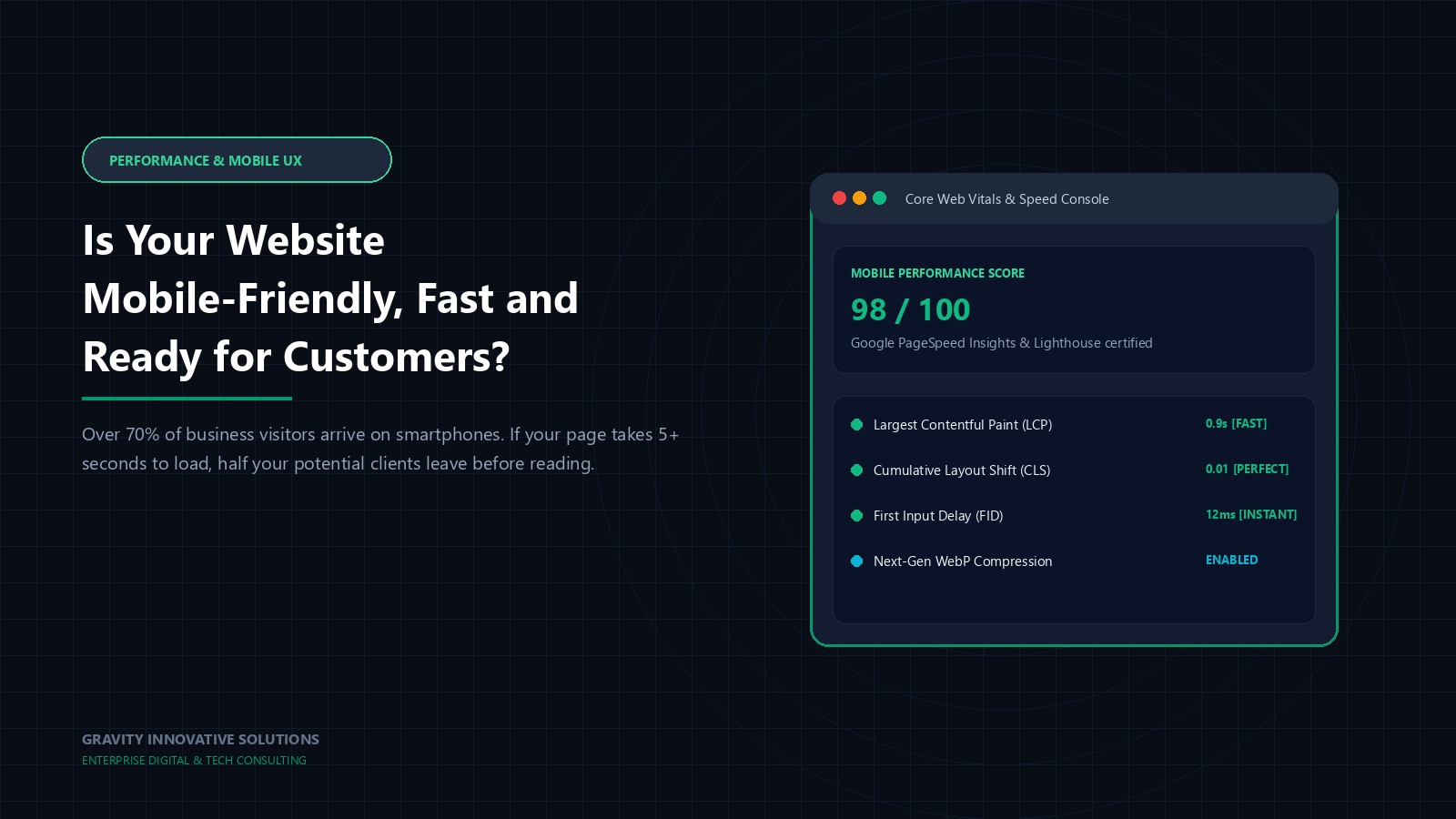
Think about the last five times you searched for a local business — a clinic, a restaurant, a service provider. How many of those searches happened on a laptop, sitting at a desk, with time to spare? For most people, the honest answer is close to zero. Today's customer is standing in a queue, walking between meetings, or lying on the sofa with a phone in hand, and they expect a website to work for them in that exact moment, not three seconds later and not after pinching and zooming to read a sentence.
Many business owners already know, in general terms, that "mobile matters." Far fewer have actually opened their own website on a mid-range phone, on an ordinary mobile network, and watched what a real customer experiences.
That gap between knowing something in theory and actually experiencing it firsthand is exactly where most mobile and speed problems hide. A website can look completely fine when a developer tests it on a fast office connection with a brand-new device, while behaving quite differently for a customer standing outside a shop with two bars of signal. Only one of those experiences is the one that actually matters for the business.
Why Mobile and Speed Are Not Optional Anymore
Mobile browsing has moved from being an alternative way to visit a website to being, for most businesses, the primary way. A site that was designed with only a desktop screen in mind is, in effect, designed for a shrinking share of actual visitors. Add slow loading on top of that, and the two problems compound: a visitor on a cramped, hard-to-read layout who also has to wait several seconds for it to appear is a visitor who has every reason to simply go elsewhere.

Common Mistakes That Undermine Mobile Experience
1. "Responsive" that only means "it shrinks"
Some older or cheaply built sites technically resize on a phone, but buttons become too small to tap accurately, text becomes cramped, and images get cropped awkwardly. Resizing is not the same as designing for mobile.
2. Oversized, uncompressed images
A photo straight from a modern camera or phone can be many times larger than what a web page actually needs, and loading several of them unoptimised is one of the most common causes of a slow page.
3. Too many heavy scripts and plugins
Each additional tracking script, animation library or widget adds load time. Individually small, collectively they can make a page feel sluggish, especially on mobile processors and slower connections.
4. Pop-ups and overlays that break the mobile layout
A pop-up designed for a large desktop screen can completely cover a small phone screen, sometimes with no obvious way to close it, which is a fast way to lose a visitor's patience.
5. Never testing on an actual phone
It is easy to preview "mobile view" in a desktop browser and assume everything is fine. Real phones, real network speeds and real thumbs often reveal problems that a quick preview never catches.
6. Ignoring the variety of real-world devices
Not every visitor uses the latest flagship phone on fast fibre broadband. Many are on mid-range devices, older Android versions, or patchy mobile data in areas with weaker network coverage. A site that only ever gets tested on a new phone over office Wi-Fi can look perfectly fine to its own developer while struggling badly for a large share of real visitors.
What "Core Web Vitals" Actually Means in Plain Language
You may have come across the term "Core Web Vitals" if you have ever looked into website speed. Stripped of jargon, it refers to a small set of practical questions: how long before the main content becomes visible, how long before a visitor can actually interact with the page without it jumping around, and whether elements shift position unexpectedly while loading, which can cause a visitor to tap the wrong thing by accident. None of these require a technical background to understand as concepts — they are simply formal ways of measuring whether a page feels fast and stable to an ordinary visitor, which is exactly what matters in practice.
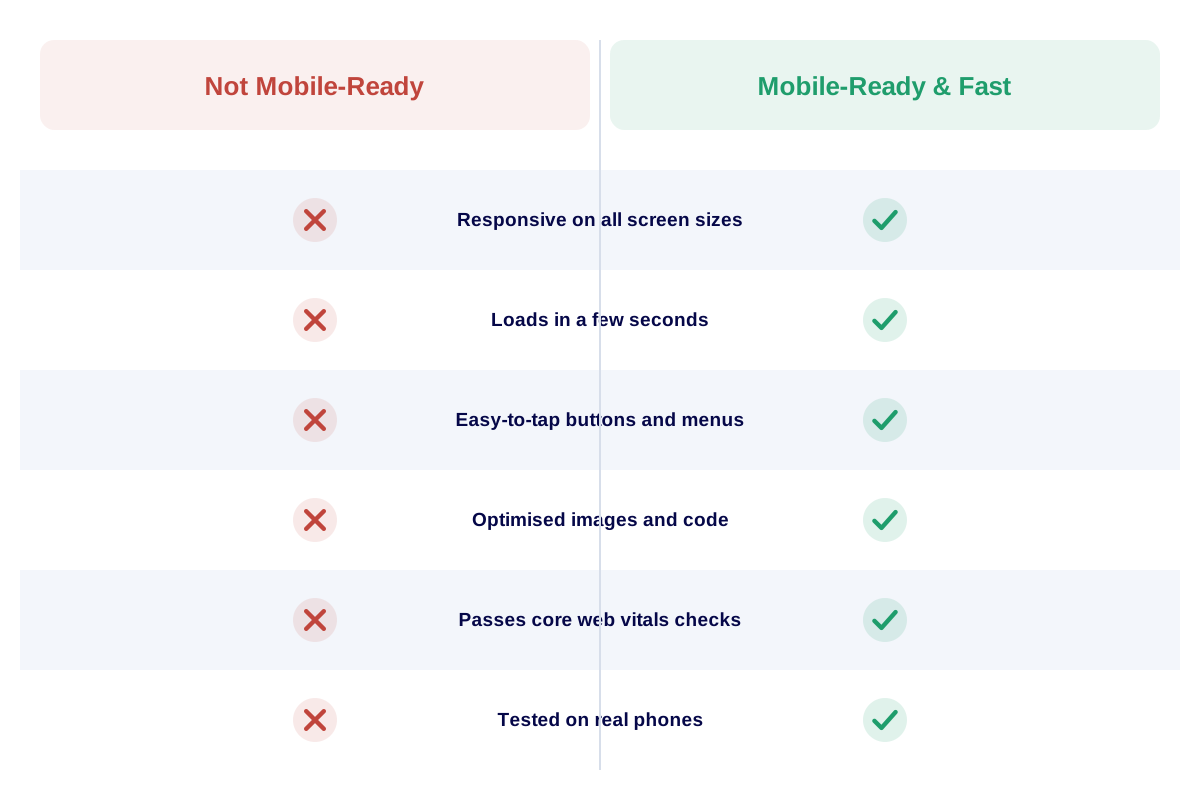
Being technically responsive and being genuinely mobile-ready are not always the same thing.
What Is Actually Causing the Slowdown
Speed problems usually come from a combination of causes rather than one single culprit: hosting that is not suited to the traffic the site receives, images that were never resized for the web, code that has accumulated unnecessary scripts over time, and a lack of basic performance housekeeping. None of these are exotic technical mysteries. They are mostly maintenance tasks that get skipped because they are invisible until a visitor complains, or quietly leaves without complaining at all.
It is also worth separating two related but distinct ideas: a website being technically "mobile responsive" and a website genuinely feeling fast and comfortable to use on a phone. Many sites tick the first box while still failing the second, because responsiveness is usually checked once during development and then never revisited as content, images and scripts accumulate afterward. Mobile readiness is not a one-time milestone; it is a condition that needs to be maintained as the site grows.
An Illustrative Scenario (Not an Actual Client Case)
Picture a Kerala-based medical clinic whose website was built a few years ago and has had photos and announcements added since, each time by a different person, each image uploaded at full camera resolution. On a desktop with a strong broadband connection, the site looks and feels fine. On a patient's phone, using mobile data in a waiting room with patchy signal, the homepage takes close to ten seconds to fully load, and the "Book an Appointment" button sits below several large, slow-loading images.
Patients trying to quickly check clinic timings or book a slot before their own phone battery runs low often give up and simply call the reception number instead, or choose a different clinic whose website responds faster. The clinic never sees this directly. It just notices, eventually, that online appointment requests feel surprisingly low for how much traffic the site appears to get.
The fix, once identified, is rarely dramatic. Resizing a handful of oversized images and removing a couple of unused scripts can noticeably improve how a page feels on mobile data, often without touching the visual design at all. The hard part is simply noticing the problem exists, since it never announces itself the way a broken link or an error message would.

Practical Solutions and Recommendations
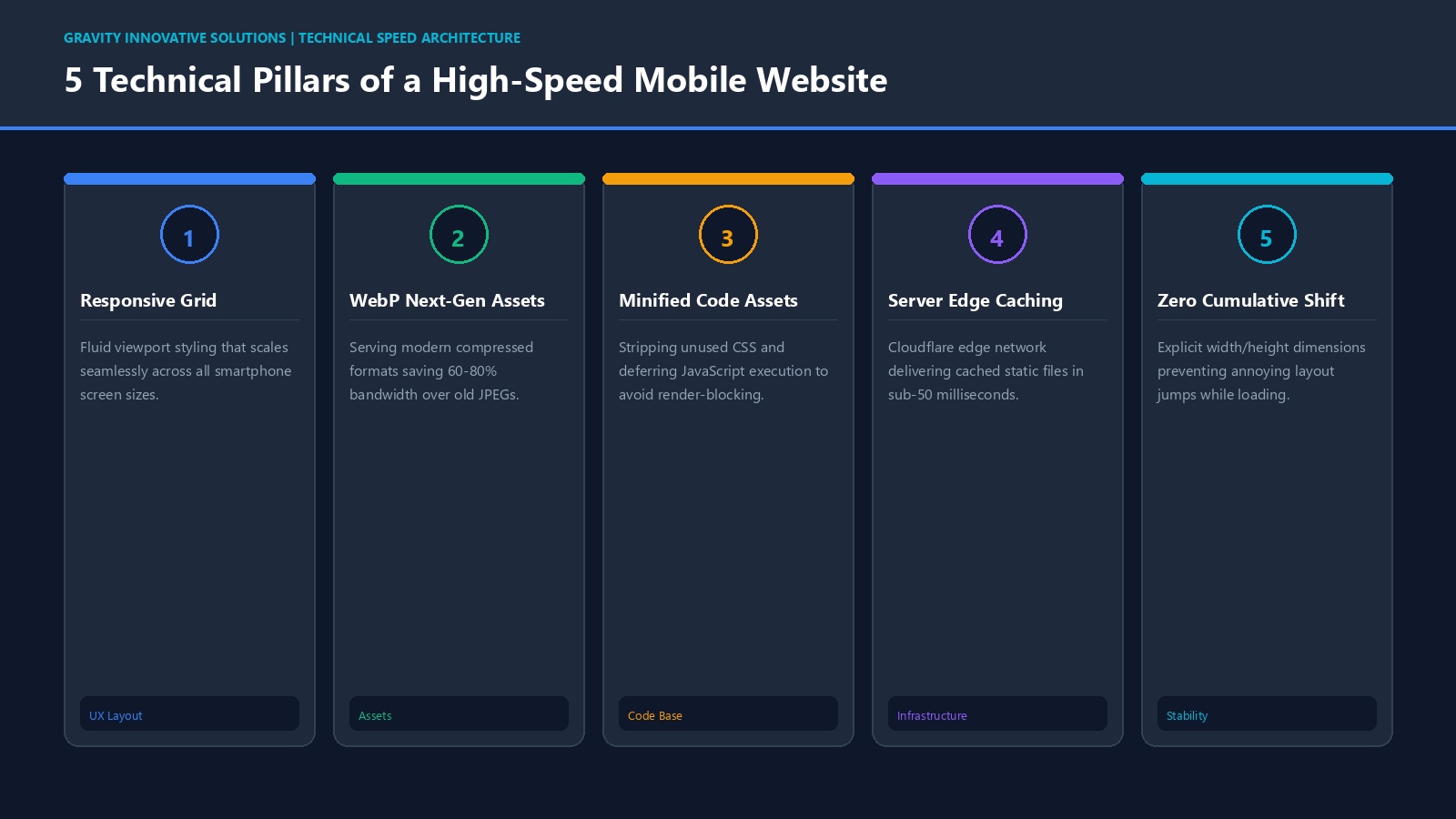
- Compress and resize every image before uploading it, rather than relying on the browser to shrink a huge file.
- Test your site on at least two different real phones, on mobile data, not just office Wi-Fi.
- Remove plugins, scripts or widgets that are no longer actually in use.
- Make buttons and menu items large enough to tap accurately with a thumb.
- Choose hosting appropriate for your traffic, rather than the cheapest available plan by default.
- Ask whether your hosting or platform supports caching and a content delivery network, which help pages load faster for visitors further from the server.
None of these fixes require a complete rebuild in most cases. They are closer to routine maintenance than a redesign project, which is exactly why they are easy to postpone indefinitely unless someone deliberately schedules the review.
A Mobile and Speed Readiness Checklist
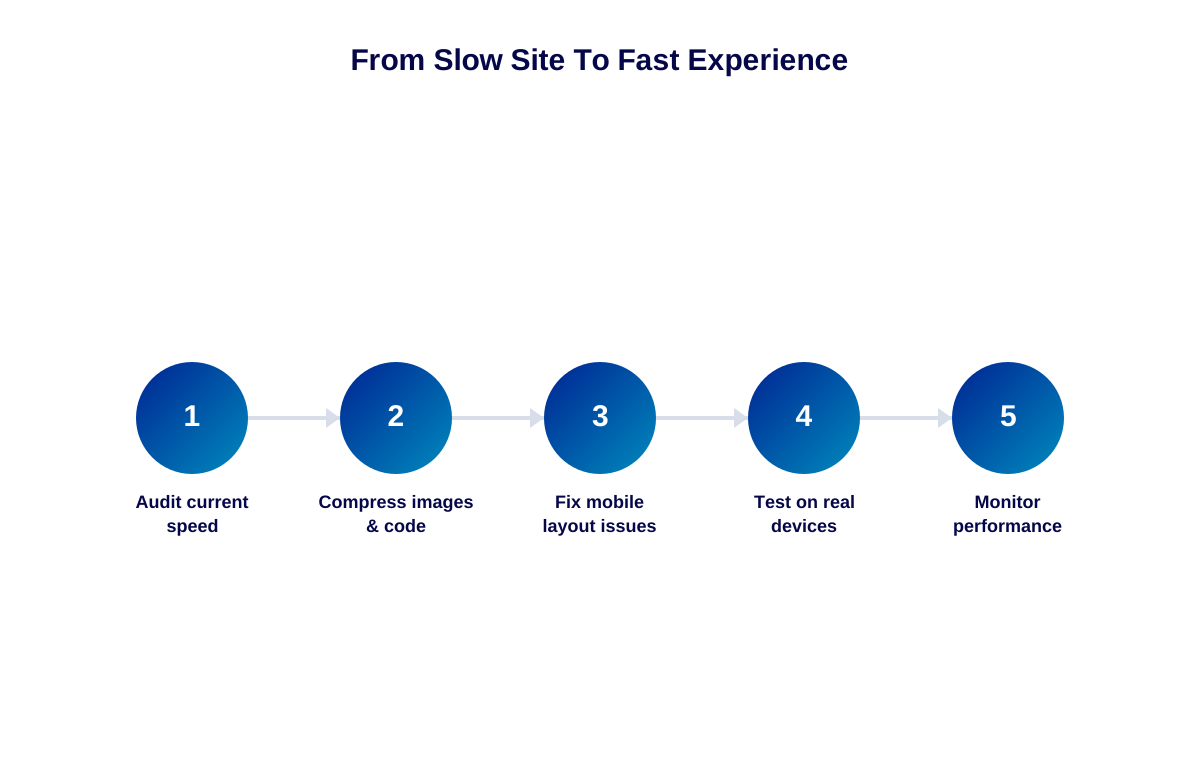
- Open your homepage on a phone using mobile data and time how long it takes to feel "ready."
- Try tapping every button and link with your thumb, not a precise mouse cursor.
- Check that text is readable without needing to zoom in anywhere on the page.
- Confirm pop-ups, if any, can be closed easily on a small screen.
- Review your largest images and ask whether they have ever been compressed.
- Repeat this test periodically, especially after adding new content or features.
The Business Risk of Ignoring This
We will not attach an invented statistic to "how many customers you lose" from a slow or unfriendly mobile experience, because that number genuinely depends on your industry, audience and competition. What is safe to say is that mobile usability and loading speed are widely treated as meaningful factors in how search engines evaluate a page's overall experience, alongside relevance and content quality. A poor mobile experience can therefore work against both visibility and conversions at the same time, which makes it one of the more consequential technical issues a small business website can carry unnoticed.
How to Identify the Right Partner to Fix This
When evaluating who should handle mobile and performance improvements, ask specifically about image optimisation practices, hosting recommendations and how they test mobile experience before launch, not just whether the design is "responsive." A partner skilled in modern responsive web design and solid website development fundamentals will treat speed and mobile usability as core requirements, not afterthoughts added once a client complains.
Gravity Innovative Solutions builds every website with mobile performance considered from the first wireframe, not bolted on at the end, reflecting over 13 years of serving businesses across Thrissur and Kerala. For an existing website, a mobile and speed review is often a quick, well-defined piece of work rather than a full redesign, which makes it one of the more cost-effective improvements a business can make.
Conclusion
Being mobile-friendly and fast is no longer a nice-to-have feature reserved for large brands with big budgets. It is baseline expectation for almost any visitor arriving from a phone, which today is most of them. A short, honest test of your own website on a real phone, right now, will tell you more about where you stand than any theoretical discussion could.
Treat this as an ongoing habit rather than a single project. Every new banner image, embedded video or third-party widget you add in the future carries the same risk of quietly slowing the page down again. A brief mobile and speed check after any significant update costs very little time and tends to catch problems while they are still small and easy to fix.
Your website should do more than simply exist online. It should build trust, attract the right audience and support your business goals.
If a quick mobile and speed review of your site would be useful, we are happy to walk through it with you.
Related reading: The Hidden Cost of Cheap Website Development and Why Is Your Beautiful Website Failing to Convert Visitors?