

Open your own website right now, on your phone, as if you were a stranger who had never heard of your business. That one small exercise tells you more about your website's credibility than any amount of guessing. Most business owners never do it, because they already trust the business, know the people behind it, and fill in the gaps automatically. A new visitor does not have that advantage. They have your website, and nothing else, to decide whether you are worth contacting.
This is not a question about whether your business is genuinely trustworthy. Most business owners reading this already run a legitimate, capable operation. The question is narrower and more uncomfortable: does your website communicate that reality clearly to someone who has no other information to go on, within the few seconds they are willing to give it?
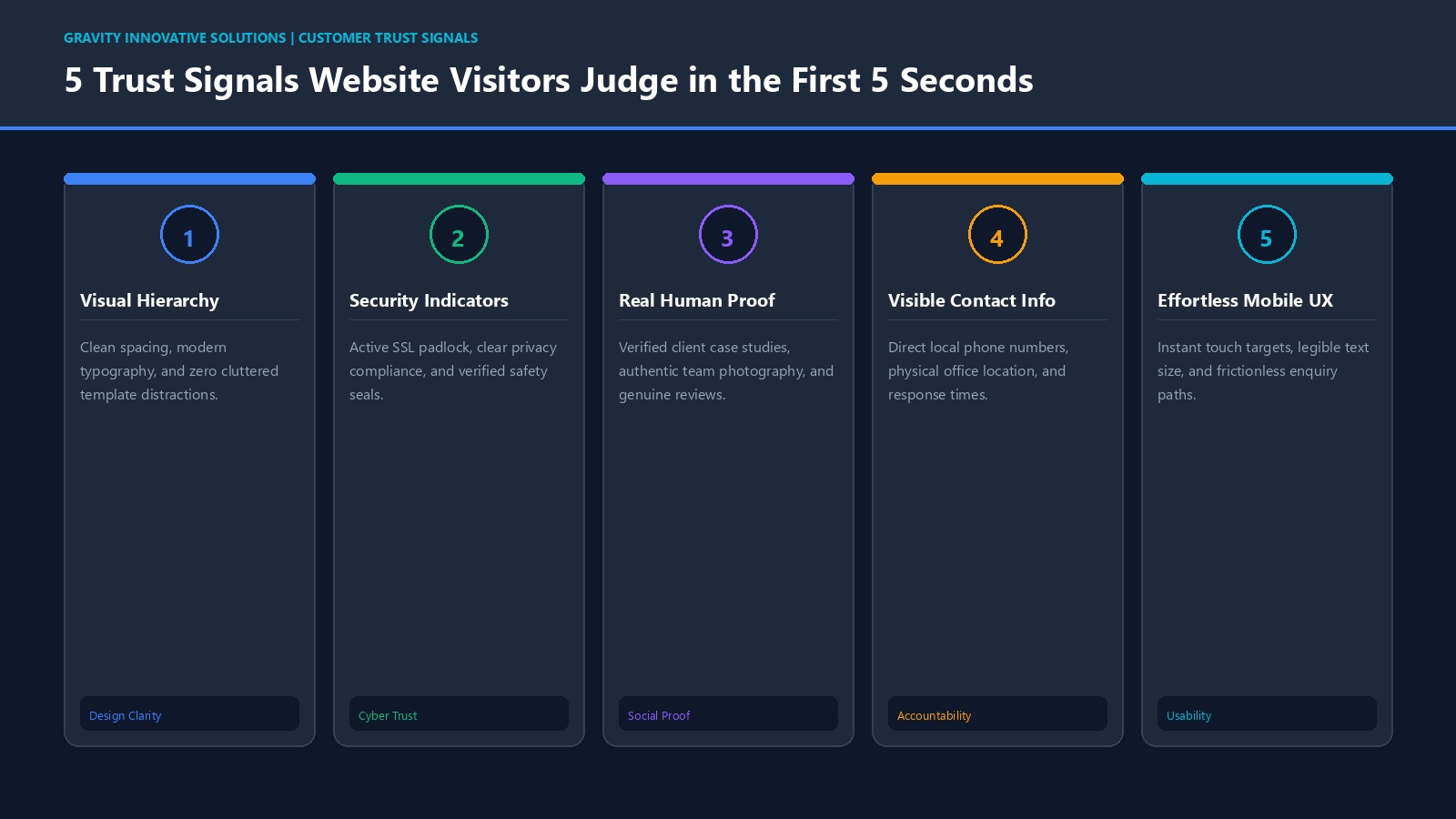
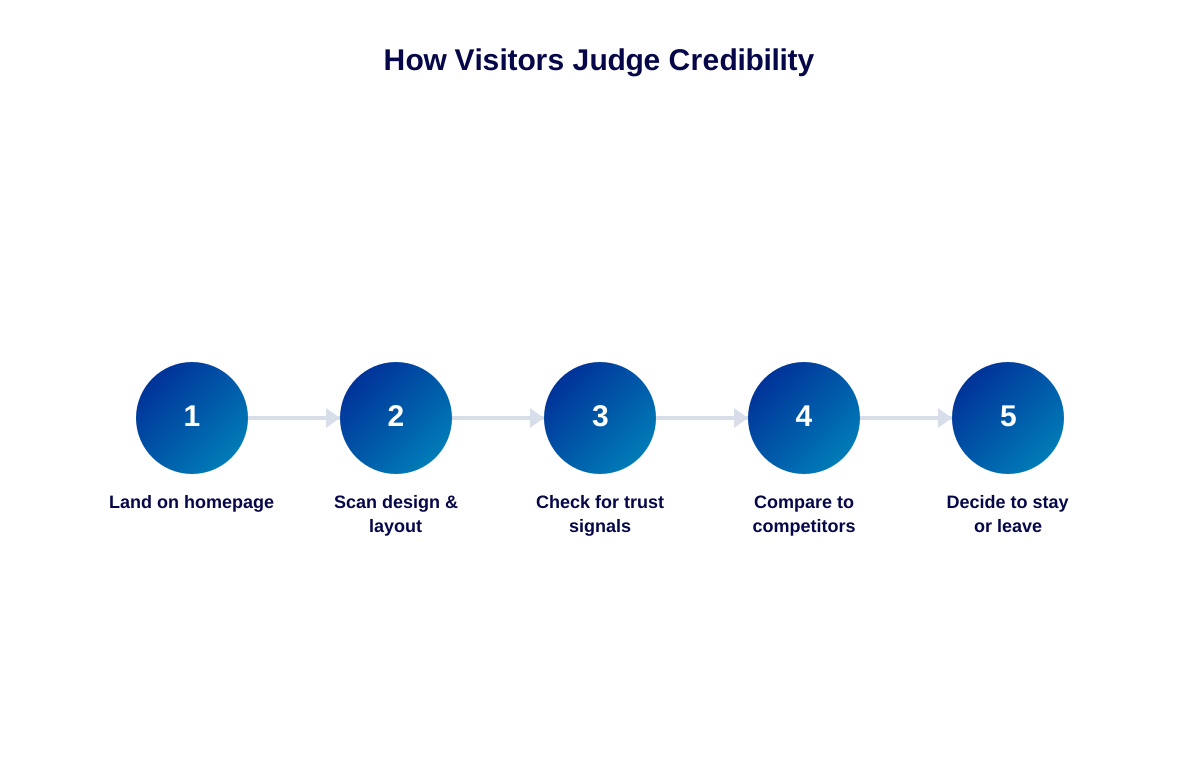
That decision happens fast, and it happens on appearance before it happens on content. Before a visitor reads a single sentence, the layout, the colours, the spacing and the overall polish of the page have already started shaping an opinion about whether this is a business worth trusting with an enquiry, a booking, or a payment.
Why "Looking Professional" Is Not a Vanity Concern
It is tempting to treat visual polish as cosmetic, something to worry about once the "real" business problems are solved. In practice, a website's appearance is doing real commercial work every single day. It is standing in for the handshake, the office visit, and the conversation that used to happen before someone decided to trust a business. If that stand-in looks careless, inconsistent or outdated, it quietly undermines everything else the business might be doing right — quality products, fair pricing, good service — because the visitor never gets far enough to discover any of it.
This matters more, not less, for smaller and newer businesses. A well-known, established brand can survive an average website because customers already trust the name. A newer or lesser-known business does not have that cushion. The website often has to do the trust-building work entirely on its own.
Common Mistakes That Quietly Undermine Credibility
1. Inconsistent branding across pages
Different fonts, clashing colours, or a logo that looks sharp on the homepage but blurry elsewhere all signal, even subconsciously, that no one is paying close attention.
2. Generic, uncredited stock imagery
The same handshake photo or laptop-on-a-desk image that appears on thousands of other websites does little to build a distinct, trustworthy identity for your specific business.
3. Outdated content left on the page
An old announcement, a "latest offer" from two years ago, or a copyright year that was never updated tells visitors nobody is actively maintaining the site.
4. Missing or buried contact information
If a visitor has to hunt for a phone number, email address or physical location, many will simply leave rather than keep searching.
5. Broken elements that were never fixed
A missing image icon, a dead link, or a form that does not submit are small technical issues with an outsized credibility cost, because visitors read them as neglect.
6. No visible proof that the business is real and active
A page with no recognisable details — no real address, no named contact person, no sign of recent activity — reads as anonymous. Visitors tend to trust businesses that feel like they are run by identifiable people, not an unexplained logo and a contact form.
The Psychology Behind Fast First Impressions
There is a reason this judgment happens so quickly. Visitors are not consciously evaluating your business point by point when they land on a page. They are reacting, almost automatically, to visual cues their brain has learned to associate with "trustworthy" or "risky" over years of browsing other websites, apps and services. Clean spacing, legible type, coherent colour use and working functionality all map, unconsciously, to competence. Clutter, inconsistency and friction map, just as unconsciously, to carelessness or risk.
This is also why a business owner who already trusts their own company often cannot see the problem on their own site. They are not reacting to the visual cues at all; they are filling in the trust from what they already know. A first-time visitor has no such shortcut available.
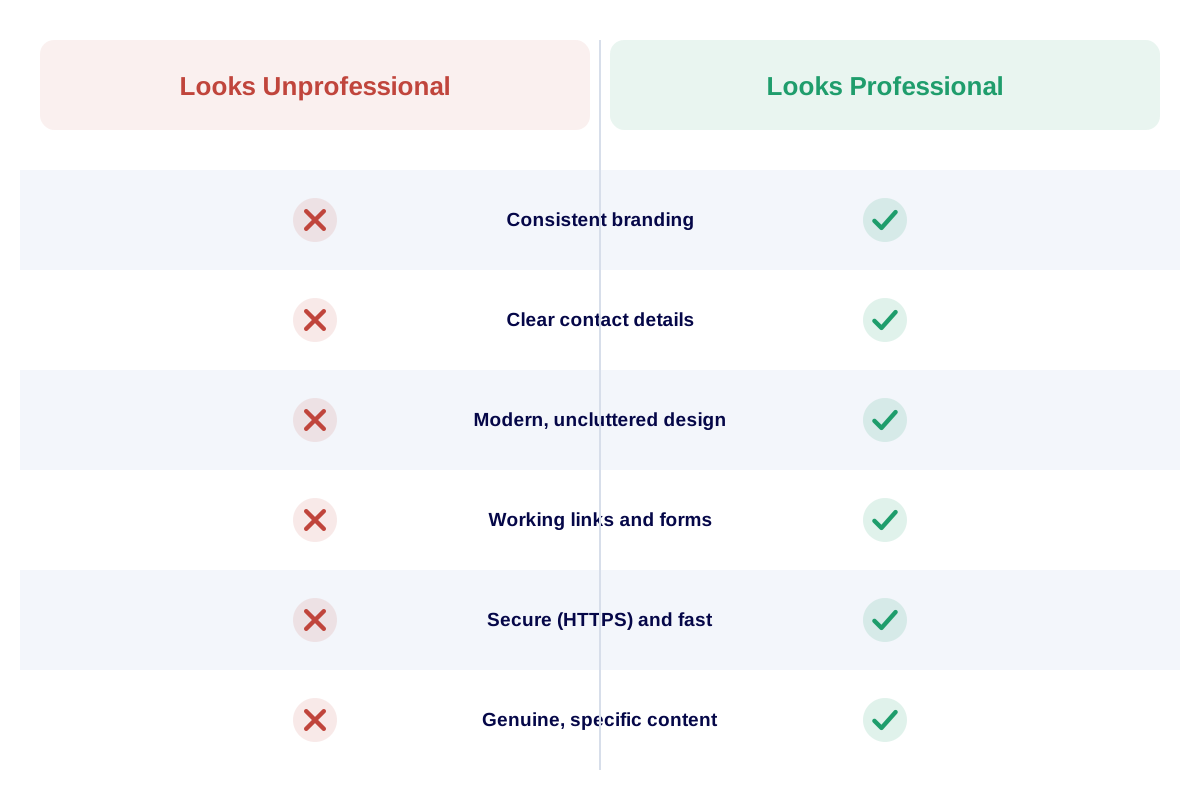
The gap between "looks unprofessional" and "looks professional" is usually a handful of fixable details, not a full redesign.
What Is Really Going On Underneath
Most unprofessional-looking websites were not built carelessly on purpose. They are usually the result of a business growing faster than its website, a cheap early build that was never revisited, or small edits made over the years by different people without a consistent design system guiding them. The result is a page that technically works but no longer represents the business accurately.
There is also a timing problem. Businesses tend to notice their website needs attention only when something forces the issue — a client comment, a lost deal, a competitor's sharper-looking site. By then, the credibility cost has often already been paid, quietly, for months.
There is a useful distinction worth making here between a website that is simply old and one that is actively broken. An older design with clean, working pages can still feel reasonably trustworthy if everything functions correctly and the information is accurate. The real damage tends to come from neglect rather than age alone — dead links, outdated prices, old event dates still on the homepage, or a design that was clearly never adapted as the brand evolved. Age is cosmetic. Neglect is what actually erodes trust.
An Illustrative Scenario (Not an Actual Client Case)
Consider a Kerala-based interior design studio that does excellent work and relies heavily on referrals. A prospective client, referred by a friend, looks up the studio's website before calling. The site was built five years earlier, uses low-resolution project photos, and the "Our Work" page has not been updated since. The client assumes, reasonably but incorrectly, that the business has slowed down or lost its edge, and quietly reaches out to a competitor with a sharper-looking portfolio instead.
The studio never finds out why that particular enquiry never came in. The work was good. The pricing was fair. The website simply told a different, outdated story, and the visitor believed what they saw.
What makes this kind of scenario especially frustrating is how preventable it usually is. Updating a portfolio page with recent project photos, refreshing a few pieces of copy, and tidying inconsistent formatting is rarely an expensive undertaking compared to the value of the enquiries it can protect. The studio in this example did not need a new website. It needed someone to notice, and fix, the gap between how good the business actually was and how good the website made it look.
Practical Solutions and Recommendations
- Audit every page for consistent fonts, colours and logo usage before touching anything else.
- Replace generic stock photos with real photos of your team, workspace or product wherever possible.
- Remove or update any date-sensitive content that is no longer accurate.
- Put your phone number, email and location in an obvious, consistent place on every page.
- Click every link and submit every form yourself, at least once a quarter, to catch what visitors would catch first.
A Quick Self-Audit Checklist
- Open your site on a phone you do not normally use. Does anything look broken or cramped?
- Ask someone outside the business for their honest first impression, timed to 10 seconds.
- Compare your homepage side by side with two competitors. Where does yours fall short?
- Check that every page has a clear way to make contact, not just the homepage.
- Confirm the site loads in a reasonable time on an average mobile connection.
Business Impact of Getting This Wrong
We will not invent a specific percentage or revenue figure here, because the real impact varies by industry, audience and how much of your business genuinely depends on new visitors discovering you online. What can be said honestly is that a website perceived as unprofessional creates an invisible layer of friction at the exact moment a stranger is deciding whether to trust you. That friction does not announce itself. It simply reduces the number of people who go on to call, message, or fill in a form — a loss that rarely gets traced back to its real cause.
This cost compounds quietly over time, too. A visitor who leaves unconvinced today does not usually come back to give the business a second chance; they simply move on to a competitor whose site felt more credible in the moment. Each of those small, invisible departures is a lost opportunity that never shows up as a complaint, a bounce in sales figures that is never specifically attributed to "the website looked dated," even though that may well have been the actual reason.
How to Identify the Right Partner to Fix This
If a credibility audit of your own site turns up more issues than you expected, the fix is rarely a complete rebuild. Often it is a focused redesign that keeps what works and corrects what does not. Look for a partner who can show you clean, modern web design work they have actually delivered, who asks about your brand and audience before proposing a layout, and who is transparent about timelines and ownership of the finished files. If your business also sells online, make sure the same credibility standard extends to your ecommerce experience, since product pages and checkout flows carry even more trust weight than a standard page.
Gravity Innovative Solutions has spent over 13 years helping businesses across Thrissur and Kerala present themselves the way they actually deserve to be seen online — consistent, current and credible. We generally start any credibility-focused project by reviewing the existing site honestly with the client, pointing out what is already working well, rather than assuming a full rebuild is automatically required.
Conclusion
A professional-looking website is not about chasing trends or spending the maximum possible budget. It is about making sure the page accurately reflects the business behind it: current, consistent, and easy to trust within the first few seconds. That is well within reach for almost any business, once the gap between "it works" and "it looks credible" is actually identified.
Your website should do more than simply exist online. It should build trust, attract the right audience and support your business goals.
Want an honest, no-obligation look at how your website comes across to a new visitor? We are glad to walk through it with you.
Related reading: Why Is Your Beautiful Website Failing to Convert Visitors? and Is Your Website Mobile-Friendly, Fast and Ready for Today's Customers?